A complete guide to ecommerce category page SEO and optimization
Category pages often act as the quiet workhorses of your site. Sitting right between your homepage and individual product items, it is easy to overlook these sections. In most cases, they're a steady source of organic traffic from shoppers who know what they want. You should treat them as a central part of your SEO and conversion strategy. When you're getting category page SEO right, you'll build a reliable, scalable way for new customers to find you.
So, how do you get these pages to work? This guide breaks down the steps you'll need to follow. You'll see how structure and on-page elements affect your rankings. Technical fixes and UX changes that boost conversion rates aren't missing. Technical SEO and site structure? It's all covered with actions you can take this quarter.
You will discover what these pages mean, why they matter, and how this guide's organized.
In the ecommerce world, these pages go by several names, like collection pages or product listing pages. Regardless of the label, they're groups of items that share specific traits. Think of them as a digital store aisle. Typically, they help customers find their way and capture broad searches that product pages don't usually catch. While a product page highlights one SKU, category pages rank for phrases like "women's running shoes." This helps shoppers find items and drives more sales for your business.
What are ecommerce category pages and why do they matter for SEO?
Category pages, or collection pages, bundle products that share specific traits. Think of these as digital shelves using filters to help customers browse. A few lines of text usually sit here to help visitors get their bearings.
- Customers spot what they need quickly when you treat these pages like neat store aisles.
- High-volume search terms are easier to target here, which pulls in a larger audience.
- A logical hierarchy helps search engines understand how your store is put together.
- When you capture buyers while they are still exploring, sales often increase.
- Internal links help pass ranking power from the main category down to individual items.
If a product page is a sneaker, the category page is the shelf labeled "women's running shoes." Without this setup, a shop is just a heap of gear. Shoppers and search engines struggle with broad searches if you don't offer this structure.
How to structure your category pages for SEO success
Good site architecture is the foundation for category page SEO. How you group items, write URLs, and manage page depth impacts both bots and shoppers.
How should you organize categories logically?
Think of your site as a pyramid to keep things simple. This setup's intuitive for people and simple for search engines to crawl. Research helps you map out a path that reflects how your customers actually think when they are browsing your shop.
- A site hierarchy needs to flow logically from the homepage down to parent categories and then directly to specific products.
- Instead of using internal warehouse codes, name your sections based on terms users actually type into search bars every day.
- Keep main pages within three clicks of the homepage so visitors do not get frustrated trying to find what they want.
- Paths like Clothing to Men's and then to T-Shirts keep the journey clear for any buyer looking for a specific item.
- Analyzing what competitors do is a good way to see how customers expect to find products in your specific market.
What is the optimal URL structure for ecommerce category pages?
Clean, short URLs help shoppers and bots simultaneously. Following a few simple steps will keep your web addresses both useful and tidy. Logic and readability should always be the primary goals for every link on your site.
- Keep URLs brief and readable, such as a path like mens-shoes/running rather than a long string of characters.
- By using hyphens to separate words in the address bar, you make it easy for search engines to identify individual terms.
- Whenever it makes sense for the user, include your main search term in the link naturally to help with context.
- You don't need messy strings of numbers or random parameters for your main category pages because they often confuse search engines.
- Consistency across the entire site makes navigation much easier for everyone to understand. For instance, a hardware store should apply the same folder logic to both power drills and hand saws.
Should You Create Long-Tail Category Pages?
Long-tail categories focus on specific niches, like waterproof trail shoes. While you might see lower traffic on these pages, the visitors who arrive are usually ready to buy.
- These pages find shoppers who are already deep in the buying process and have a very clear idea of what they need to purchase.
- Conversion rates are often much higher here because the specific products match exactly what the person is looking for in that moment.
- Search data can reveal new spots where search volume and buying goals come together for a specific niche or product type.
- Avoid creating one of these pages unless you've got at least five relevant products to show the person who clicks on the link.
What On-Page SEO elements must be optimized?
Think of on-page elements as the point where category page SEO intersects with the user experience.
Why ignore the small stuff? When these pieces click, rankings tend to climb and sales often follow. Every single page you put live needs this groundwork.
How to Craft the Perfect H1 and Title Tags
Your H1 and title tags serve distinct purposes. While the H1 acts as the primary label for someone already on the page, the title tag is what people see in search results. You should write that tag with the sole intention of earning a click.
Keep the H1 simple. It needs to align with the category and include your primary keyword naturally. For the title tag, focus on the incentive.
If there is extra space in your title tag, feel free to mention a specific benefit, but try to stay under 60 characters so the text does not get cut off. The title tag pulls users in from search engines. Once they land, the H1 confirms they are in the right place. Many people set up these tags by listing the main keyword first, followed by a secondary phrase and the brand name.
Writing Meta Descriptions That Drive Clicks
Think of your meta description as a short advertisement. It tells shoppers what to expect and gives them a reason to visit. This is the best chance to sell the click before they even land on your site.
- Put the primary keyword in the text so it sounds natural.
- Lead with a benefit, like free shipping or easy returns, to catch the eye.
- Give a clear instruction, such as telling them to shop the collection or browse now.
- Try to stay under 160 characters so the search engine does not cut your text off.
How to Optimize Images for Speed and Visibility
High quality photos help move products. But large files often slow down a site if they aren't managed properly. You want sharp visuals that don't weigh the page down.
- Choose great shots but shrink the file size or use the WebP format.
- You must write alt text that explains the image for people using screen readers.
- For any pictures further down the page, use lazy loading to keep the top of the site fast.
- Show different angles of a product if you have them, provided the files stay small.
Comparison: Bad vs. Good examples for Title Tag, Meta Description, and H1
Look at this table to see how a weak setup compares to a strong one. The example uses leather handbags. The left column shows common errors, while the right side offers a better approach.
| Element | Bad | Good |
|---|---|---|
| Title Tag | Leather Handbags – Shop | Leather Handbags – Top-Rated Leather Totes and Crossbody Bags |
| Meta Description | Buy leather bags here | Shop premium leather handbags, free shipping over $75. Durable styles for work and travel. |
| H1 | Handbags | Leather Handbags |
How to write high-performing ecommerce category content
Debates often flare up over whether category pages need heavy text or just a clean product grid. You have to find a middle path. While shoppers like helpful facts, those details shouldn't hide the items they came to see.
Placement: Above or Below the Fold?
Because visitors want to see products immediately, listings must come first. Placing extra context lower on the page helps search engines while keeping things tidy. It keeps the flow natural for everyone browsing the store.
- Position the product listings and sorting tools right at the top.
- Educational blurbs belong under the grid so you don't distract people scanning for sales.
- Try using menus that expand to stop layouts from getting cramped on phones.
Types of Content That Work
Make sure the text is easy to skim so it matches what customers are looking for.
- Brief intros help people understand what they will find in the collection.
- Shoppers feel more secure when you offer short guides on choosing the right gear.
- Try comparison blocks for materials so visitors can decide with less stress.
- Real photos and reviews from other buyers provide a layer of social proof.
Quality over Quantity
The reader is the priority. Instead of stuffing the page with keywords, use a natural voice to answer questions. Aiming for 150 to 400 words at the bottom is usually the right call. This length keeps the page helpful without feeling bloated.
Mastering technical SEO for category pages
How do search engines actually see your inventory? Technical SEO mostly focuses on ensuring that search engines find and process your category pages without hitting walls. If a bot has trouble reading your layout, rankings will likely drop. This happens even if your products are high quality. You should watch structured data, filtering logic, and site speed. These settings often hide in the backend. Because of that, they can block crawlers like a deadbolt on a front door.
What schema markup should you use?
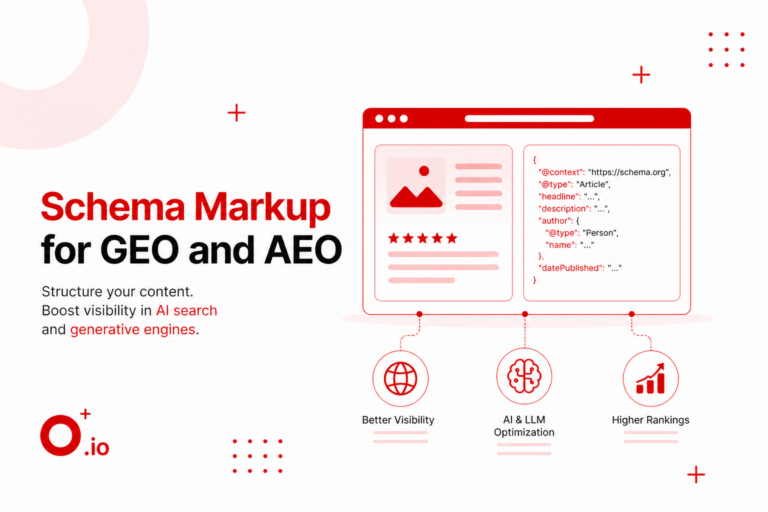
Schema works as a signal for bots to see a page as a collection instead of a single product. Applying specific markup types can give your search visibility a real lift. Once the code is live, you should run it through the Rich Results tool from Google to catch any errors or warnings. Using a mix of CollectionPage, ItemList, and Product schema clarifies what the page is for. Under this setup, special details like price ranges show up in search results.
- Using CollectionPage identifies the URL as a group of items so Google treats it like a category.
- You can use ItemList to help search engines see every product on the page in a clean list format.
- BreadcrumbList maps out exactly where the page sits in your site structure to help with navigation.
- Adding FAQPage schema is a smart move if you have a Q&A section that tackles common buyer questions.
How do you manage faceted navigation?
Filters are great for shoppers but they often create a mess for search bots. Left unchecked, they might generate thousands of URLs that look nearly identical to the original page. This happens when a filter changes a URL but does not actually provide enough new content to merit a separate index entry. You have a few options like blocking paths or using canonical tags.
- Point filtered pages back to the primary category with a canonical tag when the intent has not changed.
- You can load filter results with AJAX so the URL stays the same while people browse through your stock.
- Block URLs that have little value in your robots.txt file to stop bots from wasting their time on thin pages.
- Let Google index specific filter combinations that people actually search for, like a particular brand and style.
What is the best way to handle pagination?
Breaking up long product lists helps your site load faster and keeps everything tidy. You must ensure bots can find every item without getting stuck in a loop of links. Following current search engine guidelines makes your method work for both crawlers and humans. Done correctly, your link authority will flow through all your products instead of just staying on the first page. This ensures that every item in your catalog gets a chance to rank.
- Use standard paginated URLs like page=2 because they are more reliable for crawling than infinite scroll setups.
- Set a canonical tag that points to itself on every numbered page to keep search signals from getting crossed.
- Include Next and Previous links to help bots move through your entire product collection without issues.
- For short lists, a View All page is fine, but it can make the site sluggish if the page gets too big.
Why do core web vitals matter?
These metrics show how people experience your site in real time. If pages load slowly or elements jump around, customers will likely quit and look for another store. You can fix many of these problems by compressing image files and setting up browser caching. Check these numbers often. Fix the biggest issues first to keep the experience smooth.
- LCP measures how fast the main content loads for your visitors so they do not get bored.
- You should aim for a low INP score to make sure the page feels snappy when people click buttons.
- CLS tracks if the layout stays still while your content is loading to prevent annoying accidental clicks.
Improving UX and conversions on category pages
While rankings get people to the site, the layout determines if they buy. You don't need a total redesign to see results. Small, smart changes often lead to a jump in sales. These minor updates matter.
Layout and product presentation
Most shoppers scan pages quickly. Because of this, a predictable grid lets them find items without thinking too hard. Standard layouts work well because people are already used to them. If you keep your product cards clean, it prevents important details from getting lost in the noise. Simplicity usually wins.
- Put prices, color options, and tags for new arrivals right on the product cards.
- Set up buttons to appear only when a user hovers over an image.
- Using identical dimensions for every product photo keeps the grid from looking messy.
Trust signals and social proof
Trust is key. If a shopper feels uneasy, they leave. You must reassure them quickly.
- Put star ratings and total review counts on every thumbnail.
- Mentioning your return policy or security seals helps lower buyer stress.
- User photos and testimonials make the products feel much more real and honest.
Navigation and findability
Clunky navigation kills conversions. People will leave. Speed and ease are everything.
- Group filters by brand or price to match how people think.
- Keep breadcrumbs visible so users can return to main categories easily.
- A floating mobile filter button that displays selection count works best for shoppers now.
Why internal linking matters for your category page SEO strategy
Internal links function like a digital roadmap. These paths guide crawlers through the architecture of an online store and make the site structure visible.
- Menu paths from the homepage usually pass the most authority. These routes signal which areas deserve the highest priority.
- A shopper might decide to buy sooner if the page offers direct access to trending products.
- Link to similar categories so visitors don't hit a dead end.
- Descriptive anchor text is better than generic phrases. Tell the user exactly where the link leads.
Logic in link layouts ensures main pages get the visibility they need. When a design makes sense, sales often tick upward. Expect better rankings once search bots recognize a journey that isn't confusing.
Measuring and tracking your success
SEO feels like a loop. Pages do not hit the top spot overnight. Winning takes constant monitoring, trying new angles, and fixing errors. These platforms turn raw data into a plan for growth.
Using Google Analytics
This tool follows shoppers once they land on your site.
- Check organic traffic for collection pages to see if your latest tweaks worked.
- Compare visitor revenue against how quickly they leave.
- Filter results by device type to spot mobile errors.
Using Google Search Console
This dashboard shows how your site looks to search engines.
- Review clicks and where your category URLs rank on average.
- Use the performance tab to find phrases people type before buying.
- Ensure Google successfully crawled your pages and fix any technical issues.
Continuous A/B testing
Try different versions of your pages.
- Test button colors or move descriptions to find layouts that convert.
- Focus on tests that impact the bottom line because traffic alone does not pay bills.
- When a design clearly wins, you should roll it out everywhere.
Conclusion
Success with your category pages never happens by accident. Since these sections are the primary link between a search and a purchase, you must ensure your layout is clean and your URLs are short. Place text in spots where it actually assists your shoppers. Small technical bits like schema are useful, though slow sites just frustrate visitors.
You might find that starting with a technical audit is the smartest move for your shop.
When you make category page SEO a habit, your brand stays ahead. Track your metrics and change things based on how your shoppers behave. Efficient pages satisfy both search bots and real people. High speeds bring traffic.
FAQs
1.What is a category in SEO?
Think of these as thematic landing pages. They group items under a wide umbrella. While individual product names target specific queries, these pages capture much broader search terms to help shoppers find what they need. You help shoppers and search engine bots see a whole collection at once. It makes your site map much easier for people to follow.
2.What are categories in eCommerce?
These are tools to sort inventory by audience or product type. Shoppers find what they need with less clicking when you set them up right. Think of them as a gateway. They guide a person from a vague idea to a specific purchase. Without them, your store looks like a disorganized pile of goods. Visitors stay longer when things are tidy. This helps people find exactly what they want.
3.Which category is best for e-commerce?
Success relies on search intent. You need enough inventory to make a page feel full and useful for a visitor. Terms like "running shoes" pull in high volume. But if you have the stock, specific subcategories might serve your visitors better. Small niches often turn browsers into buyers. It's all about the depth of your collection and keeping the experience relevant for the user.
4.How should you handle out-of-stock products on a category page?
Leave them up. It is better to label them as out of stock than to delete the page or hide the item. Offering a restock notification or pointing toward a similar product is a smart move. This keeps your rankings steady. It also gives the customer a reason to stay. If you hide the product, you lose the link equity it built over time. Keeping the page live ensures that people who bookmarked it don't hit a dead end.
5.Is infinite scroll bad for SEO on category pages?
Correct setup is everything here. Every product group needs a unique URL that search engines can find. If you don't provide a clear path, bots might miss part of your catalog and ignore those items. Many store owners stick with paginated links because they are reliable. They keep the technical foundation simple and help search engines understand the structure of your inventory.
6.Can a single product belong to multiple categories?
You can certainly assign one item to several groups. A single pair of shoes might sit in a "new arrivals" section and a "tennis" section at the same time. Just remember to use canonical tags. This tells search engines which version is the master copy. It stops you from getting flagged for duplicate content. If you don't do this, the search engine gets confused about which page to show. It might even ignore both pages.
7.What is the difference between a category page and a tag page in e-commerce?
These pages follow the main skeleton of your website. They are the heavy hitters for your organic traffic strategy because they align with how people shop. Tag pages are just labels for tiny details. Unless people are specifically searching for those tags, they don't matter much. Most stores can ignore them entirely to focus on their main categories.
8.How many products should be displayed on a category page for the best user experience?
Aim for variety without making the page look messy. A range of 20 to 48 items works for most shops. Pay close attention to how it looks on a phone. Smart filters and fast loading times are more important than the product count. If the site is slow, the number of items won't matter. You want to prioritize speed so customers don't leave.

Mansi Jain
Senior AI SEO Specialist @ Opositive.io
GEO, AEO & LLM Optimization Specialist · 6.5+ yrs Technical SEO
About Mansi
Mansi Jain is a Senior SEO Specialist with 6.5+ years of experience in technical SEO, content strategy, ecommerce SEO, and AI-powered search optimization. At Opositive.io, she helps businesses improve their visibility across traditional search engines and emerging AI platforms through data-driven SEO strategies.
Her expertise includes technical audits, keyword research, schema implementation, content clustering, and AI SEO (GEO/AEO). Passionate about staying ahead of search trends, Mansi shares practical insights and actionable strategies that help marketers, founders, and businesses achieve sustainable organic growth.
“Practical, data-driven SEO that helps businesses grow sustainably across both traditional search and AI platforms.
Specialization
Technical SEO, Ecommerce SEO & AI SEO (GEO/AEO)
Education
B.Tech, Information Technology
College of Technology and Engineering, Udaipur · 2015 – 2019
Experience
Senior SEO Specialist, Opositive.io
3+ years at Opositive · 6.5+ years in SEO & AI-powered search
Skills
Technical audits, keyword research, schema, content clustering