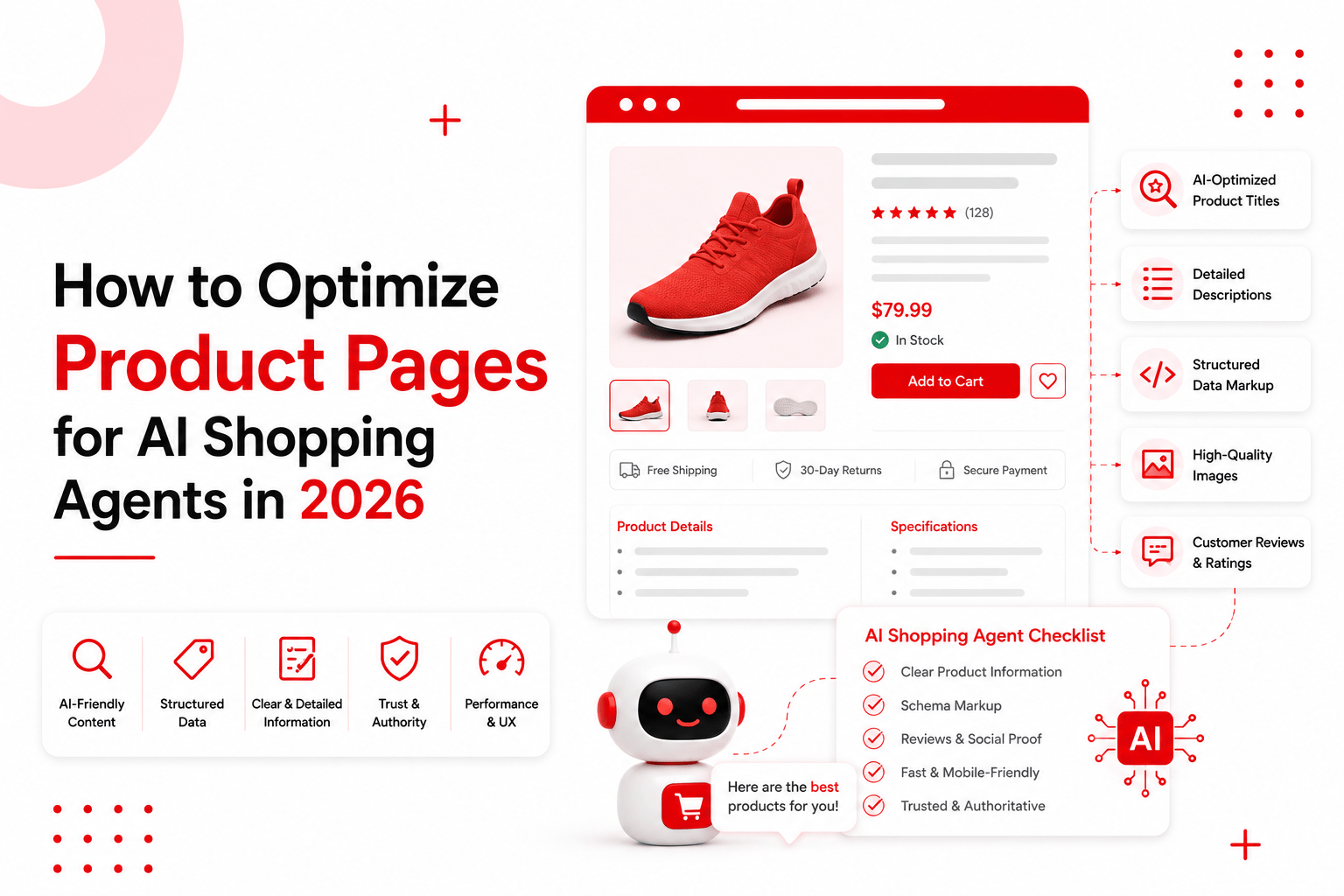
How to Optimize Product Pages for AI Shopping Agents in 2026
A shopper opens Gemini and asks for a rain jacket that packs into its own pocket, costs under ₹6,000, and will survive a monsoon commute. An agent goes off and reads product pages. Yours may well be one of them.
If it cannot find your fabric rating, your packed size, or whether the seams are taped, it moves on to a brand whose page says those things plainly. Your page was not badly written. It was simply unreadable to the thing doing the reading.
This is the shift most ecommerce teams have not adjusted to yet. For twenty years we designed product pages for a person with eyes, a mouse and a bit of patience. In 2026 a growing share of the traffic that decides whether you make a sale has none of those things.
This guide explains how conversational AI shopping agents read product pages, and what you need to change so your products get chosen. You will learn the three ways agents actually see your page, the technical fixes Google has published, the content changes that decide whether an agent recommends you, the popular tactics Google says you can ignore, and a 30-day plan to work through it all.
Key takeaways
- Agents read your page three ways: screenshots, the raw HTML, and the accessibility tree that browsers build for screen readers
- If your price, stock or specifications only appear after JavaScript runs, an agent may never see them
- Accessibility markup is now an AI visibility issue, not just a compliance box to tick
- Google has confirmed you do not need llms.txt, special AI markup, or content “chunking”
- Vague adjectives lose to plain numbers, because an agent cannot compare two products on the word “premium”
- Your page and your product feed must say the same thing, or an agent will describe you wrongly with total confidence
Part 1: How AI shopping agents actually read your page
Google’s guide to building agent-friendly websites makes an observation worth sitting with: agents do not look at your website on a monitor. They work from a machine-readable version of your site, and the quality of that version decides how well they perform.
There are three channels, and understanding them tells you exactly what to fix.
Screenshots
The agent takes a picture of the rendered page and uses a vision model to work out what is on it. From the image alone it can guess that a box at the top right is a search bar and a large button is more consequential than a small text link. Colour, size and position all carry meaning.
The catch is that this is slow and expensive in processing terms. Agents tend to use it as a fallback when the underlying structure is unclear. If your page is well built, the agent may never need to squint at a picture of it.
The raw HTML
The agent reads your DOM: how elements are nested, what sits inside what, and the plain text strings that carry your actual information.
Nesting matters more than people expect. If a “Buy Now” button sits inside a product container, the agent assumes that button belongs to that specific product. If your markup is a soup of unrelated divs, that assumption becomes a guess.
The accessibility tree
This is the channel almost nobody in ecommerce is thinking about, and it may be the most important one.
The accessibility tree is a simplified version of your page that the browser builds automatically. It strips away styling and keeps only what matters functionally: the role of each element, its name, and its current state. It exists so screen readers can describe your page to someone who cannot see it.
Google describes it as a high-fidelity map that ignores visual noise and focuses on pure utility. By reading it, an agent learns the functional intent of every button, toggle and input on your page.
So the accessibility work your dev team has been postponing for three years has quietly become the infrastructure that decides whether an AI agent can understand and use your product page. If your “Add to Cart” is a styled <div> with no accessible name, a screen reader cannot announce it and an agent may not recognise it as a button at all.
How they combine
Modern agents use all three together, because any one on its own leaves gaps. The DOM might show a <div> without revealing that CSS and JavaScript have turned it into a working button. A screenshot might show where that button sits without revealing what it does.
So agents pull a clean list of interactive elements from the DOM and accessibility tree, then cross-reference it against a visual rendering to understand layout and grouping. Your job is to send clear signals down all three channels at once.
Part 2: What an agent is actually trying to do
Before the fixes, it helps to picture the job the agent is performing. It usually runs in four stages.
Discover. The agent finds candidate products, often through Google’s index, a Merchant Center feed, or its own search. This is where traditional ranking still matters.
Verify. It opens your page and checks whether your product genuinely meets the shopper’s conditions. Waterproof? Under budget? In stock in that size? This is the stage most brands fail, because the answers live in images, PDFs or marketing prose instead of readable text.
Compare. It weighs your product against two or three alternatives. A product with concrete specifications wins here almost automatically, because it can be measured. A product described as “thoughtfully designed” cannot enter the comparison at all.
Act. It either presents your product to the shopper or, increasingly, moves toward a purchase. This is where interface clarity matters — buttons that are recognisable as buttons, forms with proper labels.
Notice that stages two and three are pure information problems. No amount of design polish helps. What helps is having the facts present, in text, in a structure the agent can parse.
Part 3: Make your page readable
This layer is technical. Most of it is dev work, and most of it is quick.
Get your facts out of JavaScript
This is the single biggest issue on modern ecommerce sites.
If your price, stock status, size chart or specification table only appears after a script runs, some agents will find an empty space where that information should be. Google can process JavaScript content, but as its own documentation notes, working on SEO with JavaScript frameworks is more complex and more fragile than with server-rendered pages. Third-party agents are less forgiving still.
Test this yourself in two minutes. Open a product page, view the raw page source, and search for your price. Then search for your key specification. If they are not in the source, they are at risk.
The fix is server-side rendering for anything that matters: price, availability, variants, specifications, delivery estimates, return terms. Decorative content can load later. Facts cannot.
Use real HTML elements
Google’s guidance is direct: prefer <button> and <a> over modified <div> and <span> elements, because agents recognise the real ones as interactive.
Buttons should be <button>. Links should be <a>. Navigation should sit in <nav>. Your specification table should be a <table>, not rows of divs styled to look like one. Headings should run <h1>, then <h2>, then <h3>, in order, without skipping levels for design reasons.
If your framework genuinely cannot output semantic elements, Google’s fallback is to give the element the right role and tabindex — for instance <div role=”button” tabindex=”0″>. That is a patch, not a solution, but it is far better than nothing.
Audit your accessibility tree
You can see exactly what an agent sees. Open Chrome DevTools, go to the Accessibility panel, and inspect the tree for one of your product pages.
Check three things for every interactive element: does it have a role, does it have a name, and does it have a state? A button that appears as a generic element with no name is invisible in functional terms. Work through your Add to Cart, your variant selectors, your quantity control and your size guide trigger first, since those are the elements an agent needs most.
Do this on one page and you will usually find the same three or four problems repeated across your whole template, which means one fix resolves them everywhere.
Set cursor: pointer
Google lists this explicitly as a strong signal of actionability. It is one line of CSS and it tells both humans and agents that an element can be clicked.
There is a specific trap worth knowing about here. Tailwind CSS version 4 removed the base style that gave native buttons cursor: pointer, switching to cursor: default to match browser defaults. If your team upgraded from v3 to v4, every native button on your site silently lost that signal. Anchor tags are unaffected because browsers already give those a pointer cursor. Tailwind publishes the three-line fix in its own upgrade guide, and it is worth checking whether your site needs it.
Link labels to inputs
Add the for attribute to every <label> so it points at its input. Google notes that this helps an agent understand what a field is for, by tying the label text directly to the field.
On a product page this matters most for variant selection. A size dropdown with no linked label is a mystery control. One labelled “Select shoe size” is self-explanatory to a screen reader, an agent and a human in a hurry.
Keep interactive elements big enough
Google gives a specific threshold: interactive elements needed to continue the journey should have a visible area larger than 8 square pixels, or visual analysis may filter them out entirely.
That sounds absurdly small until you think about icon-only close buttons, tiny colour swatches and thin quantity steppers. If a shopper cannot reasonably tap it on a phone, an agent probably cannot see it either.
Keep your layout stable
Agents that use screenshots get confused when layouts shift. Google’s example is telling: an Add to Cart button appearing in a different position on each product category page.
Consistency across your product templates is now a functional requirement, not a design preference. The same element should live in the same place across your catalogue.
Remove ghost overlays
Transparent elements sitting on top of interactive ones are a real problem. Google warns that visual analysis may discard nodes that are covered, even when the covering element is invisible.
The usual culprits are cookie banners, modal backdrops that do not fully dismiss, promotional overlays and sticky bars. Cookie walls and hover-only menus are particularly hostile, because an agent has no cursor to hover with and no obvious way through a consent gate.
Part 4: Make your content answerable
The technical layer decides whether an agent can read your page. This layer decides whether it recommends you.
Answer the questions people actually ask
Agents get asked things your marketing copy never addresses. Does this fit in a carry-on? Is it safe for sensitive skin? Will it work with my older model? Does it shrink in the wash? How long until it needs replacing?
You already have the answers. They are sitting in your support inbox, your live chat transcripts, your product reviews and your returns reasons. Pull the twenty questions that come up most often for your top products and answer them on the page in plain sentences.
Not “engineered for versatility.” Instead: “Fits under an airline seat. Measures 40 × 25 × 20 cm.”
If a question keeps being asked and your page stays silent on it, an agent will either skip your product or infer an answer. Both outcomes cost you, and the second is worse, because a wrong inference gets repeated to shoppers as fact.
This work has a second payoff. Google’s Merchant Center now supports a question_and_answer attribute in product feeds, available to retailers globally. The same twenty questions can populate both your page and your feed, which means one research exercise covers two surfaces.
Replace adjectives with numbers
“Premium,” “durable,” “long-lasting,” “high-quality” and “carefully crafted” carry no information an agent can act on. You cannot rank two products by the word premium.
Give the agent something measurable:
- Water resistance rating, not “weatherproof”
- Weight in grams, not “lightweight”
- Battery life in hours under stated conditions, not “all-day power”
- Fabric composition by percentage, not “soft, breathable material”
- Dimensions in centimetres, not “compact”
- Warranty length in years, not “built to last”
- Load capacity, thread count, wattage, ply, GSM — whatever your category measures by
Every specific number is a filter your product can pass. Every vague adjective is a comparison you sit out of. If a shopper asks for something under 400 grams and your page never states a weight, you are not in that conversation.
Write non-commodity content
Google’s generative AI guidance draws a useful distinction between commodity and non-commodity content.
Commodity content is generic material assembled from what is already available everywhere. It could have come from anyone. Non-commodity content comes from direct experience and original knowledge, and it is what Google says will influence your presence in AI search more than anything else in its guide.
For a product page, non-commodity content means things only you can say. How the product performed in your own testing. What your customers report after six months. Which of your three similar models actually suits which use case, stated honestly. Why you chose one material over another. What the product is not good for.
That last one is undervalued. A page that says “this jacket is not suitable for sustained heavy rain — see our Storm range for that” is more useful to an agent, and more trustworthy to a shopper, than one claiming the product is perfect for everything.
Let reviews do real work
Customer reviews are the purest non-commodity content you own. They are first-hand experience, at volume, in the customer’s own language.
Two rules. First, keep review text in readable HTML on the page rather than locked inside a widget that loads separately — if it is not in the DOM, it may not exist for the agent. Second, surface the reviews that answer practical questions about fit, durability and real-world use, rather than only the five-star one-liners.
Reviews mentioning “runs small,” “held up through two monsoons” or “battery dropped after a year” are exactly the information an agent needs to match your product to a specific request.
Give comparison information
Agents constantly compare. You can either supply the comparison or let them build one from whatever they find.
Within your own range, explain plainly how your models differ and who each one suits. A short table comparing your three backpack sizes by capacity, weight and best use will get read and used. Against competitors, be careful but not silent — factual, accurate comparison is legitimate and useful, and Google’s guidance on affiliate and comparison pages specifically values genuine product comparison as added value.
Part 5: Make your data consistent
An agent that reads your page and your feed and finds two different answers has a problem, and it will resolve that problem in whichever direction is worst for you.
Price. On-page price, structured data price and Merchant Center feed price must match. Currency and tax treatment included.
Stock. If your page says in stock and your warehouse disagrees, the shopper discovers it at checkout. Once an agent has recommended you badly, that is expensive to undo.
Delivery. Estimates should be current and specific to the shopper’s location where possible. “Ships in 2–4 business days to Ahmedabad” beats “fast delivery.”
Returns. Write the actual policy on the page: window, cost, condition requirements. Do not bury it three clicks away in a legal template. Return terms are a genuine decision factor and agents look for them.
Variants. Google recommends that each product variant is identifiable by its own URL, either as a path segment like /t-shirt/green or a query parameter like /t-shirt?color=green. Fragment identifiers do not work, because Google does not use them in indexing — /product/t-shirt#black and /product/t-shirt#white are the same page as far as Google is concerned. If your variants rely on fragments, they are invisible.
This consistency work sits alongside the Merchant Center conversational attributes that Google has made available globally. Your page and your feed are two halves of the same job: the feed is how agents find and shortlist you, the page is what they read to verify. Both need to tell the same story.
Part 6: What you can safely ignore
A significant amount of advice being sold in this space contradicts Google’s published documentation. Google has now stated plainly that several popular tactics do nothing for its systems.
llms.txt files and special AI markup. You do not need machine-readable files, AI text files or Markdown versions of pages to appear in Google’s generative AI features, because Google Search does not use them. Keeping one is harmless — it will neither help nor hurt — but it is not a lever.
Chunking your content. There is no requirement to break content into small pieces for AI. Google’s systems handle multiple topics on a page and surface the relevant part. There is no ideal page length.
Rewriting copy specifically for AI. These systems understand synonyms and general meaning. You do not need to capture every phrasing variation or worry that you lack long-tail keyword coverage.
Chasing artificial mentions. Google’s generative AI features rely on the same ranking and spam systems as the rest of Search. Manufactured mentions across the web get treated much like manufactured links.
Obsessing over schema. Structured data is not required for generative AI search, and there is no special schema you need to add. Keep using it, because it still earns rich results and helps agents parse entities quickly, but it is not the secret weapon it is often sold as.
Generating a page for every question variation. Google specifically warns that creating separate content for every possible search variation, primarily to influence rankings or AI responses, violates its scaled content abuse policy. Answer the questions on your existing product page instead.
That list should free up real budget. Spend it on Parts 3, 4 and 5.
Part 7: How to test whether any of this worked
Test as an agent would
Open your product page and try to answer, using only text visible in the raw HTML, the five questions a shopper is most likely to ask. If you cannot, an agent cannot either.
Then run the DevTools accessibility check described earlier on your main product template.
Ask the agents directly
Go to ChatGPT, Gemini and Perplexity and ask the questions your buyers ask. “Best waterproof running shoes under ₹8,000 for wide feet.” “Which travel backpack fits Indigo cabin size limits?”
Note whether your product appears, and more importantly whether the details are correct. Absence is a visibility problem. Wrong details are a data problem, and usually point at a mismatch between your page and your feed.
Use Search Console
Google’s Generative AI performance report shows how your content performs in generative AI features across Search and Discover. Two things to check: that the report shows activity at all, and that your site is opted in to generative AI features, since eligibility now depends on that setting.
Be sceptical of third-party tools claiming access to internal Google metrics. None have it. They can still be useful for tracking mentions across other assistants, which Google’s own reporting will never cover — that is what proper AI visibility tracking is for.
Watch the right numbers
Referral traffic from AI assistants, where your analytics can identify it. Conversion rate of that traffic compared with organic. Share of your top products appearing in agent responses for their core queries. Accuracy rate — how often the details quoted about your products are correct.
That last metric is the one nobody tracks and everybody should.
Part 8: Common mistakes
Treating this as a content project. Half the work is front-end engineering. If your SEO team runs it alone, the JavaScript and accessibility issues never get fixed.
Fixing the homepage instead of the templates. Product pages are where agents do their verification. One template fix propagates across thousands of pages; a homepage tweak helps nobody.
Adding schema and calling it done. Structured data helps, but Google has said it is not required for AI features. It cannot compensate for facts that are missing from the page.
Leaving specifications in images. A spec table rendered as a JPEG is invisible. So is a PDF sizing chart with no HTML equivalent.
Letting the cookie banner block everything. If an agent cannot get past your consent gate, nothing behind it exists.
Optimising the page and ignoring the feed. They must agree. A brilliant product page paired with a stale feed produces confident misinformation.
Assuming this is separate from SEO. Google’s position is that optimising for generative AI search is optimising for search, and thus still SEO. The genuinely new element is that accessibility markup now affects machine comprehension. Everything else is fundamentals, done properly.
Part 9: A 30-day pla
Week 1 — Find out where you stand. Run the raw-source test on your five best-selling products. Audit the accessibility tree on your main product template in Chrome DevTools. Ask three AI assistants about your top products and record what they get wrong.
Week 2 — Fix the technical layer. Move price, stock, variants and specifications into server-rendered HTML. Replace fake buttons with real ones. Add for attributes to labels. Check your cursor: pointer situation, particularly if you are on Tailwind v4. Remove overlays that cover interactive elements.
Week 3 — Fix the content layer. Pull the twenty most common questions from support and reviews for your top products, and answer them on the page. Replace adjectives with measurements throughout your specification sections. Make review text server-rendered.
Week 4 — Fix the data layer and measure. Reconcile page, structured data and feed for price, stock, delivery and returns. Confirm your variants have proper URLs. Check your Search Console generative AI settings and report. Re-run the assistant questions from week one and compare.
Then roll the same changes across the rest of your catalogue, starting with whatever drives the most revenue.
Final takeaway
Optimising for AI shopping agents is not a new discipline requiring new tools and a new budget line. It is your product page made honest, specific and machine-readable.
Take out the adjectives and put in the numbers. Get the facts out of JavaScript and into the HTML. Answer the questions your customers are already asking. Fix the accessibility markup you have been meaning to fix since 2023.
The convenient thing about this list is that none of it is wasted effort if agents turn out to matter less than expected. A page that states its specifications clearly, loads its facts server-side, and answers real customer questions is a better page for humans too. It is a better page for screen readers. It converts better.
You are not building for robots. You are building the page you should have built anyway, and finally having a business reason to fund it.
If you want to know how AI agents currently describe your products, request an audit and we will show you what they see today.
FAQs
Is this different from normal SEO?
Mostly it is normal SEO done properly. Google’s own position is that optimising for generative AI search is still SEO. The genuinely new part is that accessibility markup now affects how machines comprehend your page, which was never true before.
Do I need to rewrite every product page?
No. Most of the technical work happens at template level and propagates automatically. The content work should start with your top 20 sellers and move down by revenue.
What if my platform renders prices in JavaScript?
Check whether server-side rendering is available in your theme or plan. On Shopify this is usually manageable within the theme. On custom builds it is a developer task worth funding, because it affects everything else.
Does structured data still matter?
Yes, but not for the reason people claim. Google says it is not required for generative AI features. It still earns rich results and helps agents parse your entities quickly. Use it — just do not treat it as a substitute for having the information in readable text.

Mansi Jain
Senior AI SEO Specialist @ Opositive.io
GEO, AEO & LLM Optimization Specialist · 6.5+ yrs Technical SEO
About Mansi
Mansi Jain is a Senior SEO Specialist with 6.5+ years of experience in technical SEO, content strategy, ecommerce SEO, and AI-powered search optimization. At Opositive.io, she helps businesses improve their visibility across traditional search engines and emerging AI platforms through data-driven SEO strategies.
Her expertise includes technical audits, keyword research, schema implementation, content clustering, and AI SEO (GEO/AEO). Passionate about staying ahead of search trends, Mansi shares practical insights and actionable strategies that help marketers, founders, and businesses achieve sustainable organic growth.
“Practical, data-driven SEO that helps businesses grow sustainably across both traditional search and AI platforms.
Specialization
Technical SEO, Ecommerce SEO & AI SEO (GEO/AEO)
Education
B.Tech, Information Technology
College of Technology and Engineering, Udaipur · 2015 – 2019
Experience
Senior SEO Specialist, Opositive.io
3+ years at Opositive · 6.5+ years in SEO & AI-powered search
Skills
Technical audits, keyword research, schema, content clustering