
XML sitemap optimization guide for SEO
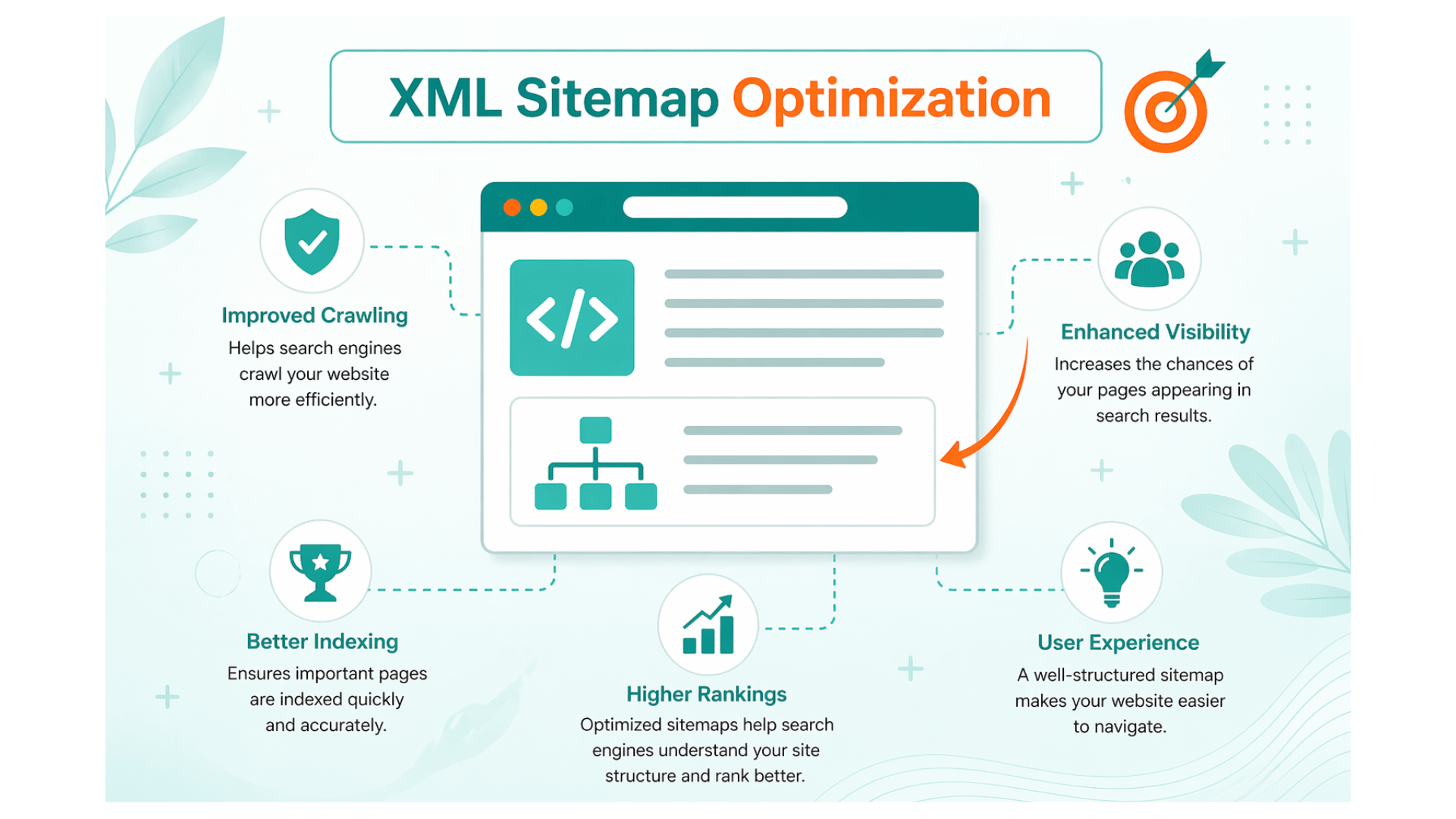
How do you make sure your content gets seen? Visibility starts with being discoverable. You might write the best articles on the web, but if bots don’t find and index them, your hard work stays hidden. An xml sitemap gives you a clear way to tell Google exactly what matters on your site. Think of it as a machine-readable table of contents. While it doesn’t guarantee top rankings, it helps bots crawl the pages you care about most.
Efficiency matters most.
Optimizing this file saves your crawl budget. It stops confusion about which pages need indexing. New content often appears in search results faster when you get this right. This guide covers what an xml sitemap is and why it matters. It focuses on xml sitemap optimization so your file works well. If you manage a site, this is the technical foundation you need to have in place.
What is an XML sitemap and why does it matter for SEO?
An xml sitemap functions like a technical guide for search engines. By listing your most important pages and including details about recent changes, it helps bots understand your content. You do not write this for human visitors. You are providing a path for web crawlers so they know where to go. This helps them see what is most relevant on your domain.
Will a sitemap push you to the top of search results? It is unlikely. But it speeds up indexing, which is key for new sections or pages buried deep in your architecture. Since you need to index your site to rank at all, this step is quite important.
Imagine your website is a huge library. The sitemap is the catalog system. While it does not improve the quality of the books, it does help the librarian find them. Without this file, your best content might stay hidden on a back shelf.
Key benefits of a well-maintained XML sitemap
- Indexing happens faster because the file alerts search engines when you add a new post or edit an old one.
- It manages your crawl budget more effectively by pointing bots toward your most valuable pages rather than letting them wander.
- This file helps bots find orphan pages or content buried in your site architecture that lacks internal links.
- When you run a huge site with thousands of entries, this tool helps organize that scale for search engines.
- Metadata like the modification date informs crawlers how frequently they need to revisit your site for changes.
XML sitemaps vs HTML sitemaps: what’s the difference?
| XML sitemap | HTML sitemap |
|---|---|
| Machines use these files, which you submit via Search Console. | Human visitors use these to find their way around the site structure. |
| Technical tags like lastmod provide instructions for bots. | These focus on the layout and how people find their way around. |
| Large sites might split these into many files linked to one index. | Usually, these stay on one page linked from a footer. |
| This format is best for uncovering hidden pages on large sites. | This version helps the user experience and internal linking. |
It makes sense to have both types of files on your site. One speaks directly to the machines to make sure they see every page. The other ensures that your human readers do not get lost while looking for information.
Which websites benefit most from an XML sitemap?
You might think only huge platforms need an xml sitemap. Indexing matters for every site. While complex layouts gain the most, you should not ignore smaller projects.
- Huge online shops manage thousands of products. Your sitemap directs search bots toward best inventory so they don’t get stuck on low-priority links.
- Publishers and blogs live or die by how fast people find their work. Dynamic files tell search engines when you have fresh content. Your posts then get indexed quickly.
- Corporate sites with several languages often confuse automated crawlers. If you organize files for specific regions, you provide a clearer path for bots to follow.
- Fresh domains often start without any backlinks. Having a sitemap ready makes it more likely that search engines won’t miss your pages early on.
- Platforms that host many videos or photos sometimes struggle with standard indexing. Because basic text files often miss them, specialized lists ensure your visual assets actually show up.
How to create and submit an XML sitemap
How do you choose the right way to build a sitemap? It depends on your platform, site size, and how frequently you update content. You can use several methods to create the file and get it into Google’s hands.
Most popular website builders handle the heavy lifting for you. They either have the feature built into their core settings or offer external tools to do the job. If you run a site on custom code, you probably need a script or a separate generator during your deployment. Writing one manually is possible for a tiny five-page site, but it is a headache if you add new pages often.
Using CMS plugins and built-in features
- WordPress now includes basic sitemap support as part of its core software. If you use a tool like Yoast or Rank Math, these plugins build a more detailed version that includes your images and categories. You can usually find these files at paths like /wp-sitemap.xml or /sitemap_index.xml.
- Shopify stores create a sitemap automatically for every shop. You can typically find this file by adding /sitemap.xml to the end of your domain name. If your shop has thousands of products, the system uses an index file to link several smaller sitemaps together.
- Wix handles the entire process for you by creating a sitemap index without any manual setup. This file organizes your blog posts, product pages, and other sections so they stay updated as you make changes.
- Modern development tools for static sites often include sitemap generation in the build process. These tools can output a standard /sitemap.xml file or a full index automatically every time you push a code update.
How to submit your sitemap to Google Search Console
- Open the Google Search Console dashboard and select the correct property for your website.
- Look for the Index section on the left-hand menu and select the Sitemaps option.
- Enter the specific URL path for your file, such as sitemap.xml or sitemap_index.xml, into the field for adding a new sitemap and click submit.
- Check the status column in the report to see if Google successfully processed the file or found errors.
Sending the file takes just a few seconds. Still, you should check back every month to see if any crawl issues pop up. If you reorganize your site or change your URL structure, it is smart to resubmit the file immediately.
A practical guide to XML sitemap optimization
Why does sitemap management matter so much? If the file is messy, search engines get confused and burn through your crawl budget on low-value pages. You want a file that is clean, fast, and shows off only your site’s best content.
Best practice 1: include only indexable, canonical URLs
Every page listed here needs to be a canonical, indexable URL with a 200 status code. If something redirects or is blocked, get it out.
Exclude these items from your file:
- 301 or 302 redirects and any URLs caught in a redirect chain.
- Dead links that return 404 or 5xx server errors.
- Any page carrying a noindex tag or an X-Robots-Tag.
- Versions of a page that aren’t the primary choice, like an old HTTP link when the site moved to HTTPS.
Mixing noindex tags with sitemap inclusion sends mixed messages to Google. It is better to stay consistent so the bot understands your site’s structure.
Keep your sitemap dynamic and up-to-date
Automation makes this process much easier. You should use a plugin or a script that rebuilds the file whenever you add or delete content. If you run a busy site, a static file that sits for months becomes a liability. Search engines expect fresh data. When a new post goes live, the sitemap needs to show that change quickly so you do not have to worry.
Respect sitemap size and URL limits
Because technical limits are strict, you can’t go over 50,000 URLs or 50MB in a single file. If your site is bigger, you’ll need to break things up. Gzip compression is a smart move because it saves on bandwidth and stays within size limits while keeping the URLs intact for bots.
Use a sitemap index for large websites
Think of a sitemap index as a master list that points to other sitemaps. This is the standard approach for massive sites that hit the single-file ceiling. It also helps with organization. You can group your content by type, like separate files for blog posts, products, and images. This lets you submit one URL to Search Console while keeping the actual data sets organized and easy for bots to read.
Automate your sitemap health with a technical SEO audit
Managing sitemap optimization manually is a nightmare as your site scales. You will likely miss broken redirects or orphan pages if you don’t use automation.
Manual updates frequently overlook tiny details, which drains your crawl budget. A technical SEO audit finds these errors. At opositive.io, audits provide a deep look at crawlability by scanning for redirect chains and duplicate content that shouldn’t be in your sitemap. Because search engines have limited resources, you can’t afford to let junk files clutter the path.
Align the file with your canonical structure.
If the file grows too large, split it into smaller pieces. This gives crawlers a clear route. A full audit stops Google from ignoring your pages. This process provides a fast path toward meeting industry standards.
Common XML sitemap mistakes to avoid
Finding errors in your xml sitemap is simple once you recognize the patterns. Logic gaps confuse search engines, so they won’t rank your pages well. You should watch for these typical slips.
- If you include “noindex” tags, you send conflicting instructions that can prevent pages from ranking.
- Broken links and redirects eat up your crawl budget and create messy Search Console reports.
- Site authority often splits because the file mixes up HTTP and HTTPS addresses.
- Does your xml sitemap contain outdated pages? Google might overlook your freshest material.
- Indexing success often falls off when thin pages with very little information are included.
| Do’s | Don’ts |
|---|---|
| Only list URLs that are canonical and indexable. | Avoid putting 404 errors or redirects in the map. |
| Enable automated pings for new articles. | Do not use static files for changing content. |
| Use a sitemap index for massive websites. | Try not to exceed 50,000 links per file. |
| Group your files by type like blog posts. | It is a mistake to dump all links together. |
| Check Search Console to catch problems early. | Never ignore reports and expect errors to vanish. |
How an AI-driven SEO strategy can scale your organic growth
Can a flawless sitemap actually guarantee your site wins? It’s just the first step. Although it helps crawlers find your pages, content quality decides if you rank. You should keep search intent in mind because modern tactics blend technical roots with AI content plans that prioritize what your readers actually need. A clean site layout works better when you pair it with an optimized sitemap. This setup targets people ready to buy. When you list pages in the sitemap, they’re more likely to get clicks. AI helps you spot gaps or group topics together.
You shouldn’t view these tools as a cheat code for a shaky foundation. A correct sitemap makes sure Google finds and indexes your work. That leads to growth. Your organic reach relies on this mix of technical health and great writing.
Conclusion
An XML sitemap is a basic requirement for technical SEO. While it won’t fix rankings overnight, it ensures bots find and check every page you want them to see. Staying hidden or getting indexed often comes down to this one file. To start, build a dynamic sitemap that only includes indexable, canonical URLs. Stay under the 50,000 URL and 50MB limits for every file you create. Use a sitemap index if your site is too large. Send the link to Search Console and fix every error that pops up.
Look at your sitemap now. Keep it clean. When your data matches your priorities, search engines have clarity to send traffic your way.
FAQs
1. What is the difference between sitemap and XML sitemap?
A sitemap is a general label for any list mapping out site content. An XML sitemap is a file you format specifically for search engines and machines to read. While HTML versions help human visitors find their way, the XML file shares technical details like when you last modified a page. You send this file to search engines so they can crawl your site more thoroughly. It works as a technical guide for bots.
2. Can ChatGPT create a sitemap?
The tool can generate a simple XML sitemap or a list of web addresses for you. Still, you have to verify that every link it provides is actually correct. It is your job to check for canonical status and upload the file manually to make sure everything functions. You cannot rely on it to be perfect.
3. What happens when Google Search Console says an XML sitemap has errors?
Google identifies parsing or coverage problems and often points to the exact lines causing trouble. You need to review these issues, remove broken links, and fix server errors that might be blocking access. Once you finish those fixes, you can submit the XML sitemap again through the dashboard. If you keep seeing errors, it points to a deeper issue with how you built your site.
4. How can I check whether a website has an XML sitemap?
Look at common addresses like /sitemap.xml or /sitemap_index.xml in a browser. If you have a Search Console account, you can find the details right in the sitemaps section. Some people use online tools to pull the file. Systems like Shopify or WordPress often create these files automatically so you don’t have to build them yourself. Usually, these files are hidden in the root directory.
5. Should I include pages with ‘noindex’ tags in my sitemap?
Putting noindex pages in your file sends confusing signals to search bots. You should remove any page with a noindex tag from your sitemap immediately. Doing this keeps your instructions clear and avoids wasting your crawl budget. It tells search engines exactly which pages you want them to index. Clear communication with crawlers prevents index bloat.
6. Is it better to have one large sitemap or multiple smaller ones for an enterprise website?
Splitting things up into several smaller sitemaps that you organize by content type is the best move for large sites. Use a sitemap index file to link all those smaller pieces together. This strategy keeps your files under size limits and makes it much easier to track down and fix errors when they pop up. It helps you manage thousands of URLs without hitting technical walls.
7. How often does my XML sitemap need to be updated?
Update the file every single time you add, remove, or change pages in a meaningful way. If you post new content every day, setting up an automatic system that updates when you hit the publish button is the smartest way to work. This makes sure search engines always see your latest data. Fresh content needs to be indexed quickly.
8. Does having an XML sitemap guarantee that all my pages will be indexed by Google?
Having this sitemap makes it much more likely that Google will discover your content, but it doesn’t mean your pages will definitely show up in results. Indexing relies on how good your content is and whether you set up your canonical tags correctly. Google also checks the overall health of your site to decide if your pages are useful.